
Monarch for Budgeting, Moneyta for Investing
Keep Monarch for the budget. Use Moneyta for what you own. They answer different questions, they run side by side, and one rule keeps them from arguing. The reasons, in order, below.

That is the whole answer. If you want the reasons, here they are in order of how much they matter, followed by the setup that makes the two apps live together without doing the same work twice.
- A balance is not a book. Your budgeting app shows the size of your brokerage account. It cannot see the lots, fees, concentration or realized gains inside it.
- The handoff is clean. A budgeting app follows every dollar to the brokerage door. Moneyta picks it up on the other side.
- Every name you own gets a file. A budgeting app has no view on the companies behind your holdings. Moneyta keeps a dated, checkable read on each one, built from the filings.
- It covers money someone else manages. If an advisor runs part of your money, your own independent set of books is the thing a budgeting app cannot give you.
Reason one: a balance is not a book
Almost every app that shows your investments is showing you a balance: the account is worth this much today, split roughly between stocks, funds and cash. That is accurate, and it is thin. It tells you the size of the thing without telling you a single thing about the thing.
Books are the other kind of record. A book knows every lot you bought and the day you bought it, every dividend that landed, every split, every fee skimmed off the top, and every gain you have already realized this year. Same account, same dollar figure, completely different amount of truth.

Five things the balance on the left cannot tell you, and the book on the right can:
- Concentration. Two accounts can hold the same total and one of them is 41% in a single sector. A balance hides that; a book measures it, watches it move, and tells you when it drifts.
- Correlation. The two funds you bought to spread your risk may be close to the same bet. We show the pairs that move together, including the ones inside your funds.
- Fees. A 0.68% blended expense ratio never appears as a line item, because it is taken out before the number you see. In dollars, on a mid six figure book, that is real money every year.
- Lot dates. Cost basis is not one number per holding, it is one number per purchase, each with its own clock for short term versus long term. Tools that read a balance flatten all of that.
- What you already booked. Realized gains, dividend income and expenses, grouped the way your tax forms will group them, before your accountant asks.
Two of those, as they look in the app. The first is what a balance can never show: the stock you already hold directly is also inside two of your funds, so your real exposure is larger than the position says.
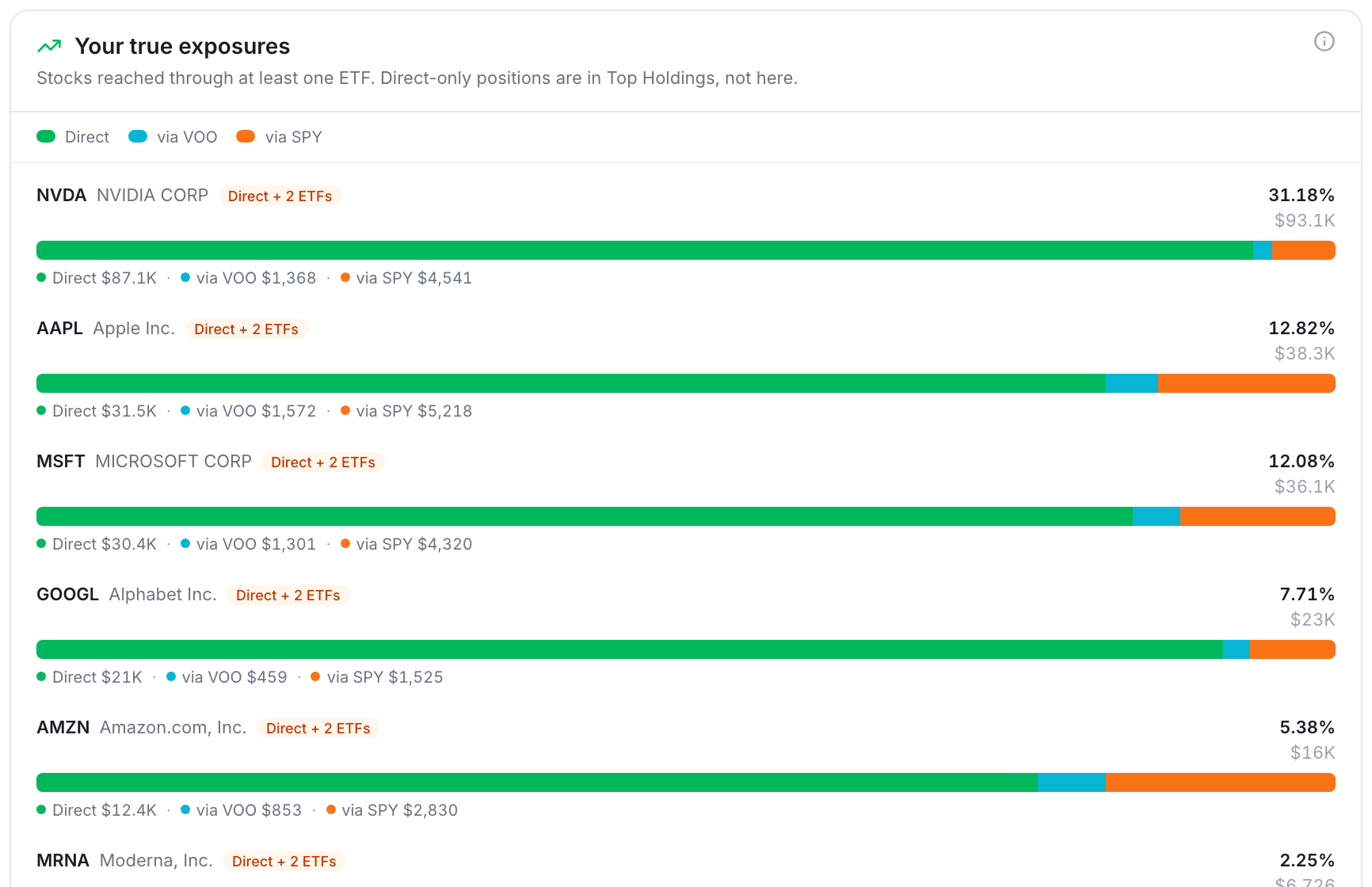
The second is the fee line that no statement prints. Every computed number in Moneyta shows its arithmetic, and can be flagged in one tap if it looks off.

Reason two: the handoff happens at the brokerage door
Your budgeting app follows every dollar right up to the moment it leaves your checking account. Once that dollar buys a share, the budgeting app can only see the resulting balance. That is where we pick it up. There is no overlap to manage, because the two tools stop and start at the same door.

It matters more than it sounds. A budgeting app can tell you that you saved 22% of your income last year, which is genuinely worth knowing. It cannot tell you that all of it landed in one sector, or that it went into funds carrying more overlap than you thought. Saving well and investing well are two separate skills, and they need two separate records.

Reason three: every name you own gets a file
A budgeting app knows that you hold a stock. It has no opinion on the company, and it was never meant to. Yet the moment you own a name, the questions start: is the case still intact, what would change it, what does today's price already assume, who else holds this and what did they just do. Those questions have no home in a budgeting app.
In Moneyta every stock you hold gets a file. The desk's read on the name, with a separate confidence grade and a plain note on what would change it. A short deck of question cards you can read in a minute, each one tappable for how the answer was reached. The growth rate today's price would need to justify itself, computed from the company's own filings. And a dated history of every earlier read, so when a stock turns you can tell whether the case changed or the price did.

And when the read moves, you can step back to the earlier one and see exactly which cards changed and why.

The file also watches the people around the name. A fund manager you follow reports a new quarterly holdings filing with the SEC, a tracked institution moves in your stock, an insider buys or sells, a company rewrites its risk factors: one quiet notification a night, at most, and never one for a price move. If you want to see a manager's disclosed book beside your own, with the overlap and the tilts measured, that is there too.
RelatedA stock view you can read in a minute, and checkReason four: it covers the money someone else manages
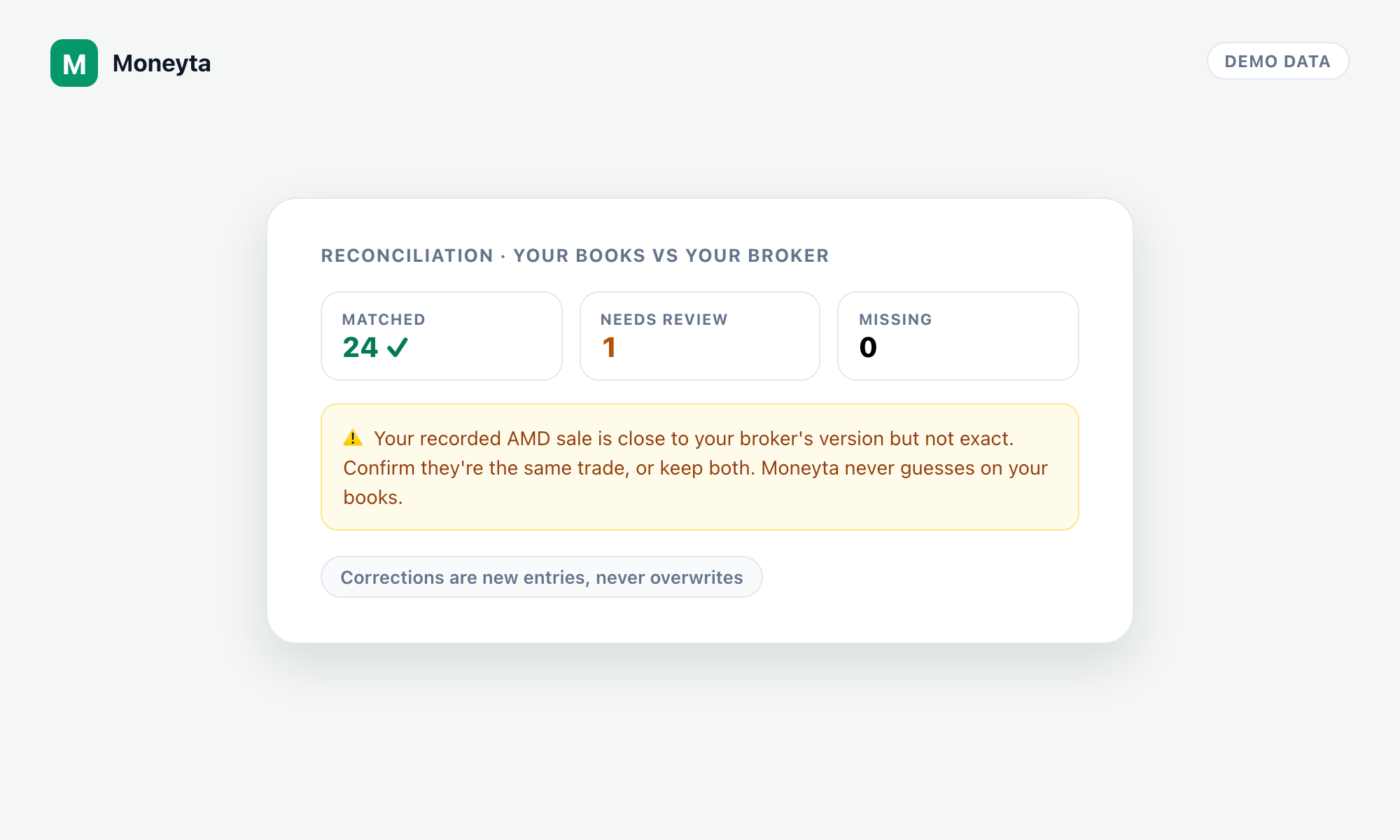
If an advisor runs part of your money, a budgeting app shows you their account as one more balance. That is exactly the situation where your own books matter most. Professionals never rely on a single record of what they own: they keep their own set alongside the one their administrator sends, and they reconcile the two.
Moneyta gives you that same independent set. What you really hold, what you are really paying, and how the risk is really distributed, kept by you, next to the statement you were sent. We are not here to tell you to fire anyone. We are here so the conversation at your next review is specific.
The setup: every number has exactly one owner
The mistake people make with two tools is entering the same thing in both and then wondering why the totals disagree. One rule kills that problem. Decide, once, which app owns each number, and never key the same thing into both.

Both tools will show you a net worth figure. Quote ours, because it is the one built on lot level accounting, and the one that prices your metals, looks through your funds, and carries your property and vehicle equity net of what you still owe. Then stop reconciling the two. They answer different questions and they are allowed to differ.
Background: what Monarch does well
None of this is an argument against Monarch. It pulls your bank and card accounts together, sorts the transactions, watches the bills, and tells you what your month actually looked like. That is the job it took, it does it well, and we use tools like it too. The question we hear from members is simply: my budgeting app already shows my brokerage balance, so why would I need anything else. Everything above is the answer.
Background: two statements, one financial life
If you want the one idea underneath all of this, borrow it from accounting. Every business keeps two records that answer two different questions. The cash flow statement answers where the money went. The balance sheet answers what we own, what we owe, and what those things are doing. Nobody runs a business on just the first. A budgeting app runs your cash flow statement. Moneyta runs the balance sheet and the book behind your investments.
Keep the budget where it is. Bring the investments here.
Start freeFrequently asked questions
Does Moneyta replace Monarch?
No. Monarch is a budgeting tool and Moneyta is an investment books and analytics tool. Monarch tracks the money moving through your bank and card accounts. Moneyta tracks what you own once that money is invested: every position, lot, dividend, fee and realized gain, plus the risk across all of it. Most people who use both keep both.
Can I use Monarch and Moneyta together?
Yes, and that is the setup we recommend. Give every number one owner: your budgeting app owns cash, credit cards, spending, bills and the budget, while Moneyta owns positions, tax lots, fees, portfolio risk, property and vehicle equity, and valuables. Do not enter the same asset in both, and do not try to reconcile the two net worth figures against each other.
Does a budgeting app track investments?
Budgeting apps generally show investment accounts as balances with a rough allocation split. That is useful for a net worth line, but it does not include lot level cost basis, fund fee drag, concentration and correlation risk, or gains bucketed by tax form. Those need a book rather than a balance.
What does Moneyta do that a budgeting app does not?
Lot level cost basis dated to the purchase, a running record of every dividend, split, fee and realized gain, a Moneyta Score and grade with concentration and correlation analysis, look through into what your funds actually hold, allocation drift against your own targets, research on the names you own including quarterly holdings filings with the SEC and insider activity, and a year end income and gains summary grouped by tax form.
Does Moneyta include stock research?
Yes. Every stock you hold gets a file: a read on the name with a separate confidence grade, a note on what would change it, a one-minute snapshot deck, the growth rate today's price implies, a dated history of earlier reads, and follows that fire on filings and insider activity rather than on price. It describes the evidence and never tells you what to buy, sell or hold.
Do I have to connect my brokerage account?
No. You can connect a broker for automatic holdings and trade history, or you can paste a ticker list, upload a broker export or a spreadsheet, or add positions by hand. Moneyta is read only everywhere: it never places trades and never moves money.
Does Moneyta handle assets outside the market?
Yes. Property with its mortgage, vehicles with their loans, and valuables such as jewellery, metals and collectibles inside the encrypted Vault, all rolled into one net worth figure alongside your portfolio.