
Invite a Friend, Get a Free Month of Moneyta
Moneyta now gives you a free month of your plan for every friend who joins with your link and sets up, up to 12 a year, and your friend's free Gold trial runs 30 days longer. Here is how it works, when a friend counts, and how to share your link the right way.
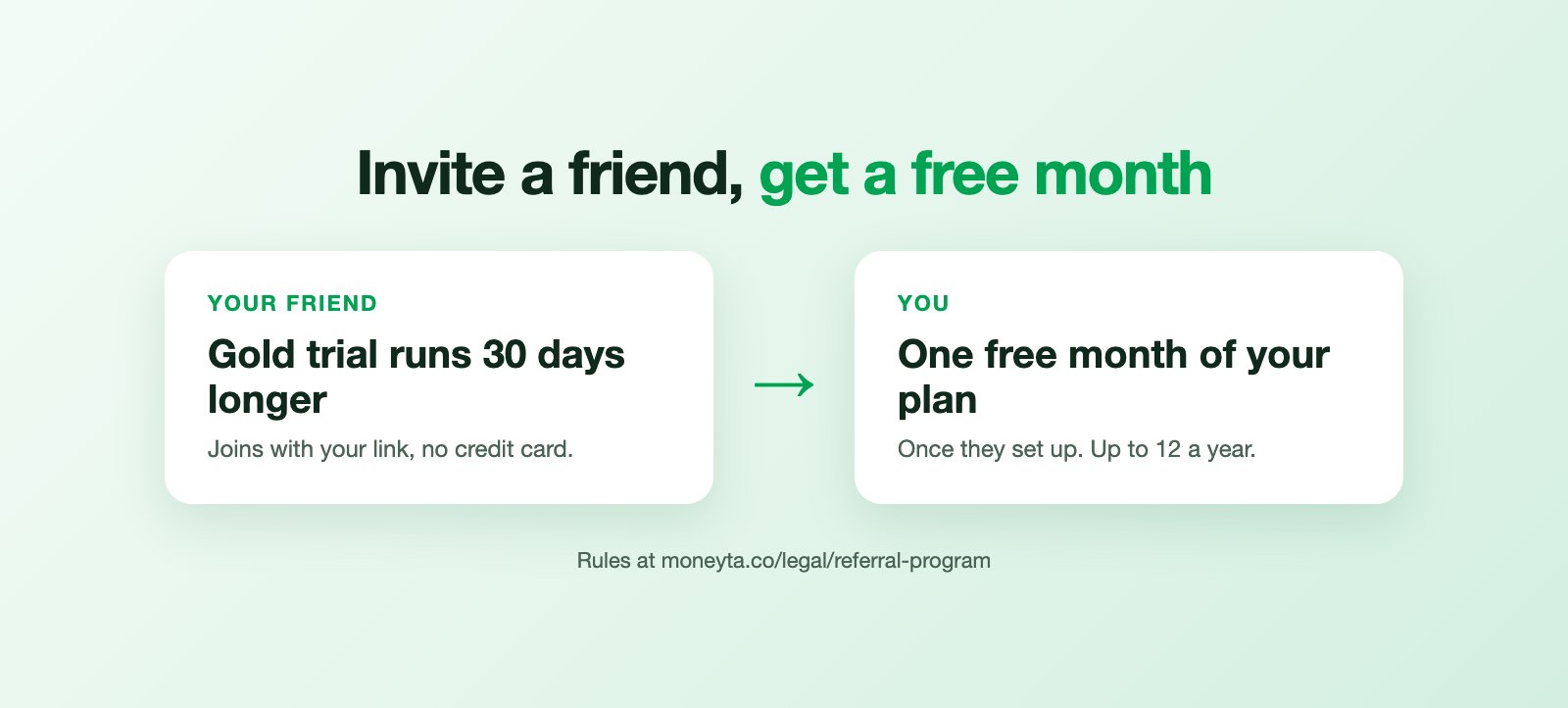
Most of the people who use Moneyta heard about it from someone else. We would rather put that money back into the hands of members than into ads, so from today, bringing a friend earns you time on Moneyta itself.
How it works, step by step
Five steps take a referral from your link to a free month. Two are yours, two are your friend's, and one is ours.
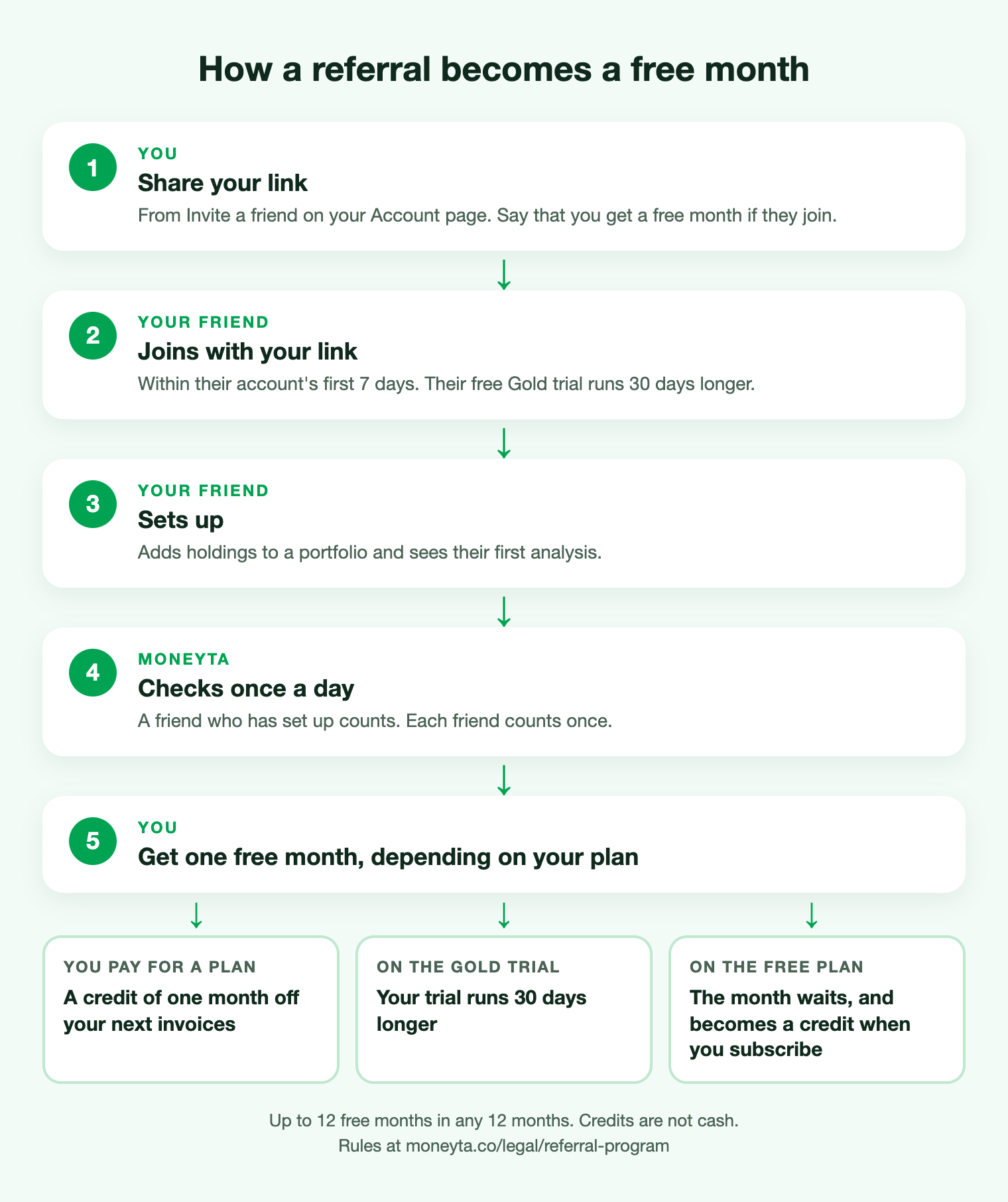
- Step 1. You share your link. Open the Account page and find Invite a friend. Copy your link, use your phone's share button, or have us send your friend a one-time invitation email. If you post the link where others can see it, say that you get a free month if they join.
- Step 2. Your friend joins with your link. They sign up through it within the first 7 days of their account, and each friend can be referred only once. Every new account starts with 14 days of Gold and no credit card; with your link, that free trial runs 30 days longer.
- Step 3. Your friend sets up. They add holdings to a portfolio and see their first analysis. Signing up alone does not count yet.
- Step 4. We check once a day. A friend who has set up counts toward your rewards, once. Your dashboard and the Account page show how many friends joined, how many set up, and what you have earned.
- Step 5. You get one free month, in the form that fits your account today: if you pay for a plan, a credit equal to one month of what you pay, after any discount (a twelfth of the price on a yearly plan), taken off your next invoices and shown on Plan & Billing; if you are on the free Gold trial, or have Gold access from an invitation, 30 more days of it; if you are on the Free plan, a month that waits on your account and becomes a credit when you subscribe.
You can earn up to 12 free months in any 12-month period, and every free month is time on Moneyta, never cash.
Why a friend counts only once they set up
A sign-up alone is easy to fake and does not mean anyone found Moneyta useful. Holdings plus a first analysis means your friend actually looked at their own money in Moneyta. That is the moment we want to thank you for, and it keeps the program fair for everyone.
Sharing your link the right way
- Say that you get something. When you post your link where others can see it, mention that you get a free month if people join. The share text we suggest already says so; keep that part if you rewrite it.
- Invite people you know. No bulk messages, ads, search ads on the Moneyta name, or coupon sites.
- Describe Moneyta as it is: a place to see and understand your own money. Please do not promise returns or results, and do not describe it as investment advice, because it is not.
Every new account starts with 14 days of Gold: every feature on, no card. Then Free, unless you choose a plan.
Frequently asked questions
How does the Moneyta referral program work?
Each member has a personal link on the Account page. When a friend joins with it within the first 7 days of their account and then adds holdings and sees their first analysis, the member gets one free month of their Moneyta plan, up to 12 in any 12-month period, under the Referral Program Rules.
What does my friend get?
A friend who joins with a member's link and is on the free Gold trial gets 30 extra days of it, on top of the 14 days every new account starts with.
Is a referral credit cash?
No. A credit can only be used toward Moneyta subscription charges. It cannot be exchanged for cash, transferred to another account or combined into a refund.
Do I need to say that I earn a reward when I share my link?
Yes. When you share your link where others can see it, say clearly that you get a free month if people join through it. The share text Moneyta suggests already includes that line.